


'%20stroke='%23003550'%20stroke-width='22'/%3e%3cpath%20d='M615.364%20614.797L494.794%20735.367C431.238%20798.923%20328.192%20798.923%20264.636%20735.366C201.08%20671.81%20201.08%20568.765%20264.636%20505.208L385.206%20384.638L615.364%20614.797Z'%20fill='%2314B8A6'%20stroke='%23003550'%20stroke-width='22'/%3e%3cpath%20d='M385.555%20384.205L506.125%20263.635C569.682%20200.079%20672.727%20200.079%20736.284%20263.636C799.84%20327.192%20799.84%20430.237%20736.284%20493.794L615.714%20614.364L385.555%20384.205Z'%20fill='%2361E6D7'%20stroke='%23003550'%20stroke-width='22'/%3e%3cline%20x1='390.262'%20y1='389.7'%20x2='614.902'%20y2='614.341'%20stroke='%23003550'%20stroke-width='22'/%3e%3cpath%20d='M616.636%20259.165C626.365%20259.647%20636.537%20261.479%20647.151%20264.661C653.253%20266.487%20658.198%20268.338%20661.984%20270.212C670.415%20274.389%20678.654%20279.528%20686.701%20285.629C689.518%20287.767%20691.353%20289.797%20692.206%20291.721C694.493%20296.851%20693.148%20303.025%20689.024%20306.79C684.973%20310.49%20680.007%20311.177%20674.74%20309.529C673.716%20309.211%20671.701%20307.861%20668.696%20305.48C653.461%20293.415%20635.08%20286.683%20615.319%20285.693C595.557%20284.713%20576.601%20289.586%20560.241%20300.084C557.016%20302.154%20554.879%20303.296%20553.831%20303.51C548.426%20304.628%20543.552%20303.446%20539.885%20299.361C536.154%20295.211%20535.432%20288.927%20538.212%20284.054C539.254%20282.222%20541.281%20280.383%20544.293%20278.539C552.907%20273.269%20561.616%20268.973%20570.419%20265.65C574.369%20264.16%20579.472%20262.811%20585.727%20261.602C596.603%20259.489%20606.906%20258.676%20616.636%20259.165Z'%20fill='white'/%3e%3cpath%20d='M504.174%20315.988L440.989%20378.952C435.767%20384.156%20435.752%20392.609%20440.956%20397.831L441.293%20398.169C446.497%20403.391%20454.95%20403.406%20460.172%20398.201L523.356%20335.237C528.579%20330.033%20528.594%20321.58%20523.389%20316.358L523.053%20316.021C517.849%20310.798%20509.396%20310.783%20504.174%20315.988Z'%20fill='white'/%3e%3cpath%20d='M395.487%20439.517L395.137%20439.167C389.644%20433.693%20380.753%20433.709%20375.279%20439.202L309.551%20505.16C304.077%20510.653%20304.092%20519.544%20309.585%20525.018L309.936%20525.367C315.429%20530.841%20324.32%20530.826%20329.794%20525.333L395.522%20459.375C400.996%20453.881%20400.98%20444.991%20395.487%20439.517Z'%20fill='white'/%3e%3cpath%20d='M281.513%20608.36C280.758%20623.997%20283.442%20641.206%20290.879%20655.184C293.171%20659.505%20293.516%20663.88%20291.913%20668.309C288.362%20678.136%20275.324%20680.069%20268.857%20672.526C267.919%20671.439%20266.204%20667.92%20263.712%20661.969C256.238%20644.153%20253.368%20626.091%20254.281%20607.015C255.194%20587.929%20259.78%20570.236%20268.922%20553.245C271.973%20547.571%20274.017%20544.239%20275.054%20543.247C282.212%20536.376%20295.007%20539.589%20297.598%20549.729C298.766%20554.29%20298.005%20558.608%20295.315%20562.683C286.573%20575.865%20282.258%20592.724%20281.513%20608.36Z'%20fill='white'/%3e%3c/svg%3e)








Magnet Notes: The Digital Fridge Door for Your Quick Reminders
Some thoughts just need a sticky note. Magnet Notes gives you a glanceable board of colorful reminders - here is why it matters and how to use it well.
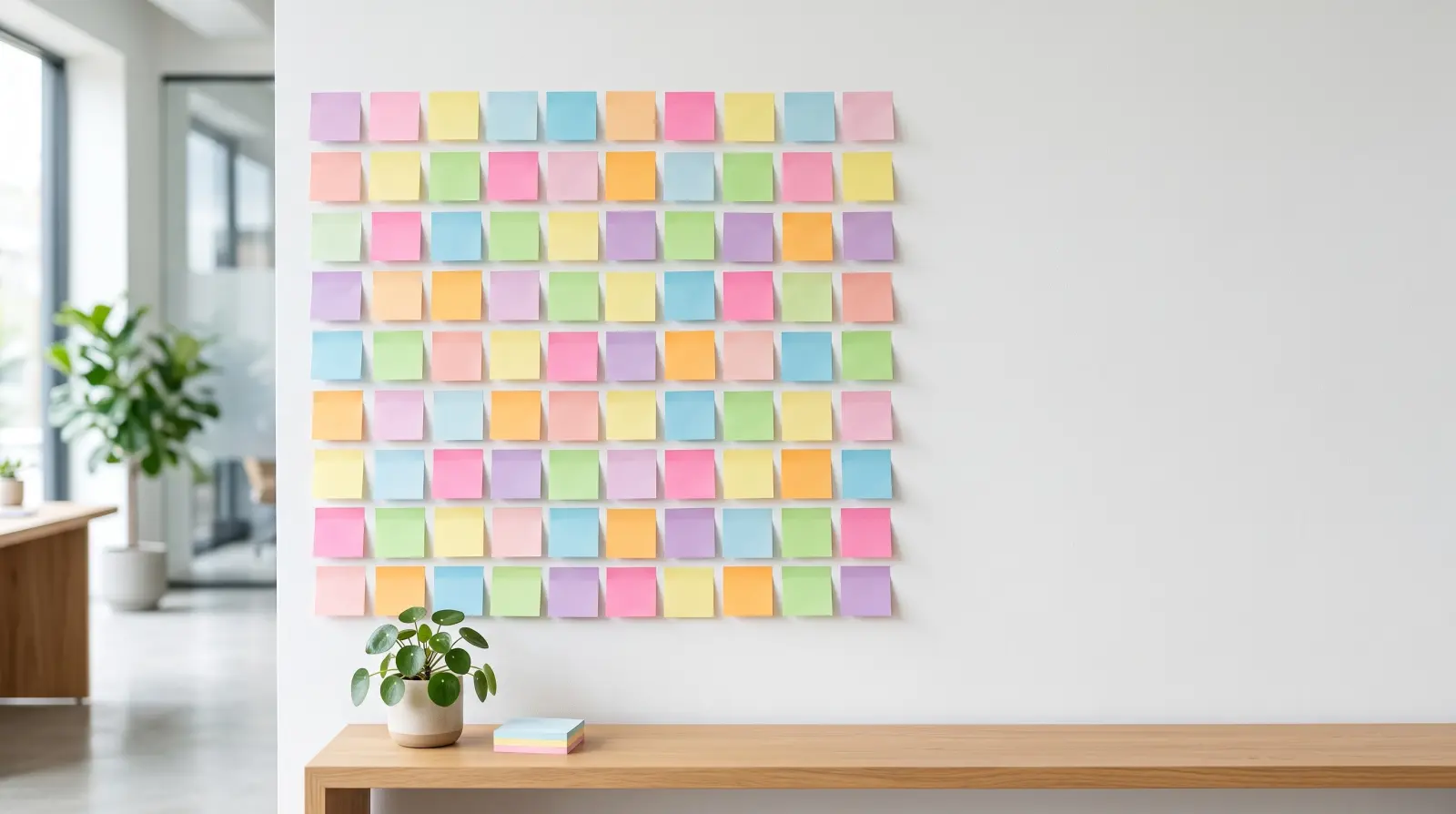
Not everything deserves a full task or a note document. Sometimes you just need to stick a thought somewhere you'll see it - like a magnet on the fridge door. That's exactly what Magnet Notes is: a clean board of colorful, glanceable notes for the little things that would otherwise vanish.
Why quick notes matter
The smallest reminders are the ones most likely to be forgotten - the parking spot, the wifi code, the thing to tell someone later. Magnet Notes keeps them visible and lightweight, so capturing a thought never breaks your flow and nothing important gets lost in a long list.
The point of a board is that you never go looking for anything. Everything on it is visible the moment you open it, so nothing hides one screen deeper, and you can take in the whole board in a single glance.
What makes Magnet Notes different
- A real board: the room's notes side by side, each with the magnet of the person who wrote it, so you can see at a glance who left which note.
- Five distinct colors, so you can group by urgency, by person or by topic and scan the board instead of reading every note.
- Casual, handwritten-style typography that makes the board feel like something you scribbled, not something you filed.
- Quick to change: open a note to edit it or take it down, so keeping the board tidy takes seconds.
- Offline first: write a note with no signal and it's there when you open the board again, then it syncs in the background.
Setting up your first board
- Create a room with the Magnet Notes module.
- Decide what each color means - for example urgent, waiting, personal, study, household - and stick to it.
- Add the three or four things that are on your mind right now.
- Open a note to update it when plans change, and take it down once it is done.
- On Premium or Family, share the room with the people who should see it, like the rest of the household.
How to use it best
- Use colors to sort by type - reminders, ideas, todos, household notes.
- Keep each note short; it's a magnet, not an essay.
- Pin household notes everyone should see, and share the board.
- Clear notes as soon as they're done to keep the board calm.
- Use it for study prompts or quick nudges you want in plain sight.
Everyday ideas
The family fridge, without the fridge: chores, who is picking up whom, the note you would otherwise have left on the kitchen table - all on one board everyone in the room can read.
Ideas that aren't a list yet: the brand someone recommended, a birthday present idea, the thing you keep meaning to replace. Park it on the board and decide later where it belongs.
Your top three for today: give the few things that actually matter a color of their own, so they stand out from everything else on the board.
Revision snippets: students can keep formulas, vocabulary or dates on colored notes and read them whenever the board is open.
Keeping the board calm
A sticky note board only works while it stays small enough to take in at a glance. Make it a habit to look at the board once a day and clear anything that's done or no longer relevant. If a note has been sitting there for weeks, ask yourself whether it's really a reminder or actually a task with a deadline - and move it to where it belongs.
Colors help too. Many people keep one color for today, one for things they're waiting on and one for someday ideas. Because a note is quick to edit or take down, tidying the board takes seconds, and the color of a note tells you as much as its words.
When to use another module instead
Magnet Notes is at its best for a handful of visible reminders. If something has a deadline and needs a reminder, put it in the Task Manager. If you want to capture a one-line thought with a single tap, Quick Notes is made for that. And for longer, structured writing with formatting and tags, use Note Base. Keeping the board small is what keeps it useful.
Common mistakes to avoid
- Letting the board fill up. Twenty notes are no longer glanceable - clear what's done.
- Changing what the colors mean. Consistent colors are what let you read the board at a glance.
- Writing long notes. If a note needs paragraphs, it belongs in Note Base.
Questions people ask
Is there a home screen widget? Not today - Listub doesn't ship a home screen widget. The board opens in a tap and everything on it is readable at a glance.
Does it sync across devices? Yes. On a Premium or Family plan the board stays in sync across your devices, and changes made without a signal are saved and synced once you're back online.
Is it free? Yes. The board, the colors, editing notes and offline use are all on the free plan.
Small thoughts, big relief: if you can see it, you won't forget it.
 Featured moduleMagnet NotesHandwritten notes on a shared fridge door.Explore this module
 Ready to get organized?
Listub brings your lists, plans and notes into one calm, private place that syncs across every device - and lets you share with the people who matter.
Get Listub free